Ask for the photos and documents while someone is still on site. Review exact corrections, talk privately and share the reviewed material through links you can manage.
The easiest time to collect a missing photo is while someone is still there.
A missing label, unclear completion photo or unanswered document request can hold up the next decision. Start with the visit or handover where you had to chase the evidence last time.
A person reviews the evidence; StateNull does not automatically certify the physical work.
02 /REPORTS & HANDOVER
Hand over the reviewed record.
Keep requested files, corrections and review together for a clearer handover. Supported product workflows can create a Proof Pack PDF; the linked business handover is an illustrated example.
Export availability depends on the workflow. A checkable record does not prove every claim true.
03 /SMALL BUSINESS
Prepare the job documents before invoicing.
Bring completion photos and agreed corrections together for review. Use the handover in your existing invoicing process instead of reconstructing the job from separate conversations.
This workflow does not issue invoices or collect payments. Payment timing depends on your customer and terms.
04 /PRIVATE COMMUNICATION
Keep client questions in a private conversation.
Explain the document, exchange supported files and use encrypted voice or video where available. Invited guests can join through a supported browser without a guest account or app installation.
Device, browser, plan and invitation limits apply.
See the product behind the example
Inspect the screens. Choose the workflow that fits.
StateNull combines clear evidence requests, specific corrections and human review with supported private conversations and sharing controls. Explore the actual interface before choosing a plan.
The six-step story and business handover are illustrations. The business handover example is not an actual StateNull export or customer result.
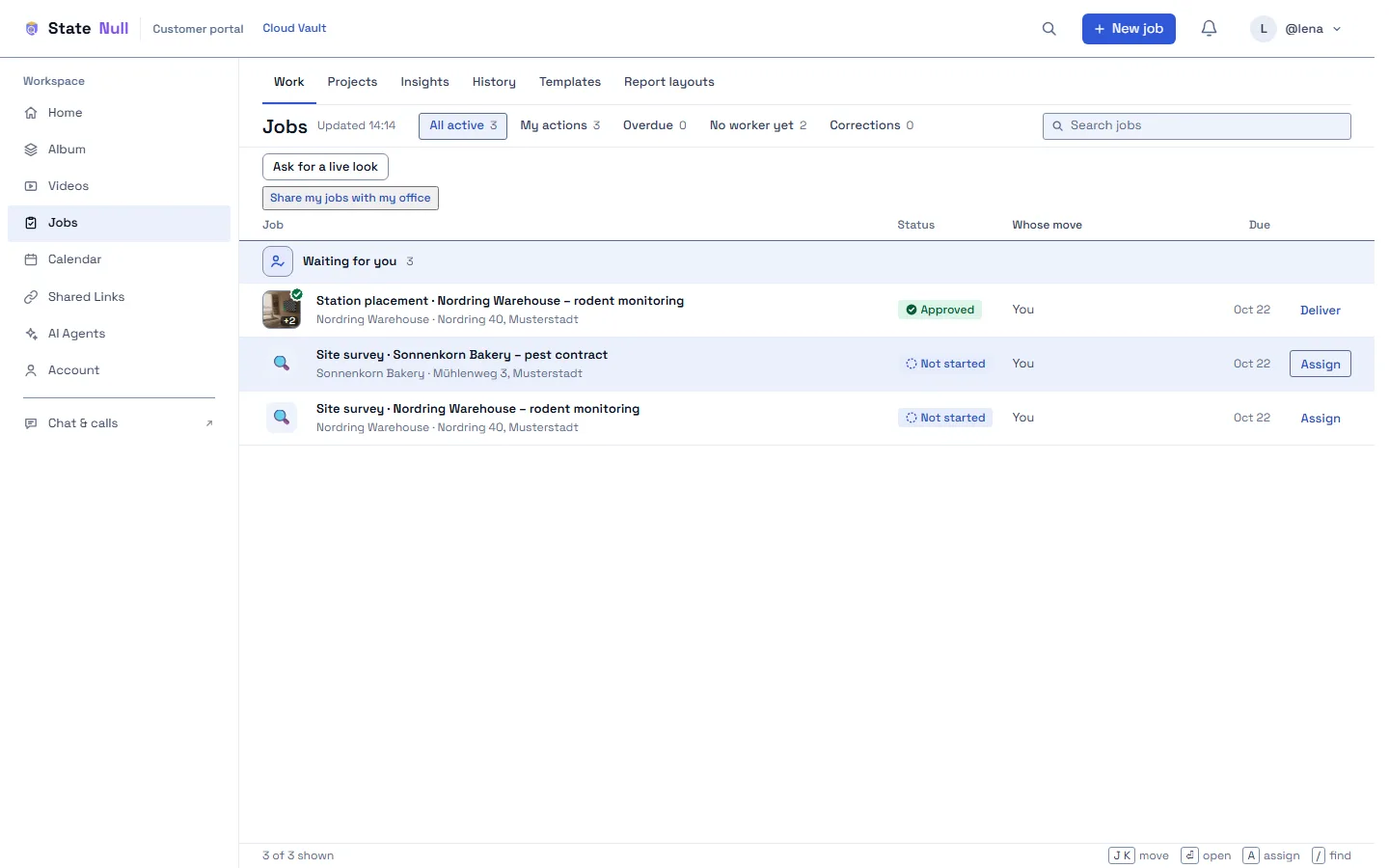
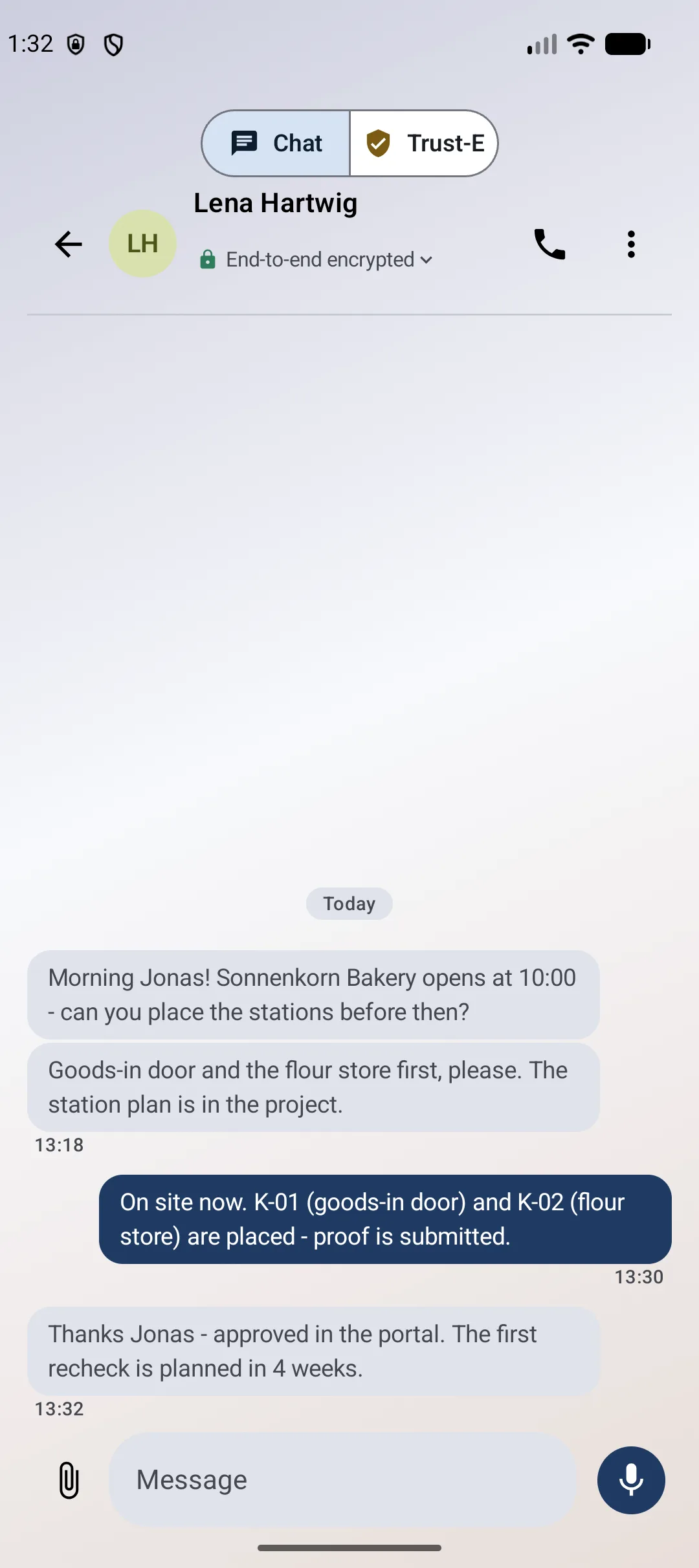
Actual StateNull product screens · fictional or test data
Digital sovereignty, in everyday decisions
Choose the material. Choose the people. Set the access rules.
Choose what you share, whom you invite and which supported access rules fit the conversation. Explore messages, calls, controlled file links and invited video audiences.
Digital sovereignty starts with practical choices: the material you share, the people you invite and the supported access, hosting and AI options you select. Review metadata, recovery and jurisdiction in the privacy explanation.
01 /
End-to-end encrypted content
Supported messages, shares and call or broadcast media are encrypted between participants. Operational metadata is still processed.
02 /
No advertising profiles
No advertising or third-party analytics. StateNull does not routinely scan ordinary encrypted conversations.
03 /
No AI provider required
Private messaging needs no Meta, Google or other AI service to analyse its contents. Optional AI connectors are a separate choice.
What that control means in practice.
Are my conversations sent to AI services for training?
Ordinary private messaging does not require sending conversation contents to an AI provider. If you enable an optional AI connector, selected conversation history or attachments can be sent to your chosen provider under its terms. This is not a blanket guarantee covering content you deliberately send to outside services. Google can also be a dependency for email, encrypted storage outside the EU or optional sign-in and Drive integrations; those are separate from AI content analysis.
What about ‘chat control’ or content scanning?
StateNull does not routinely scan the contents of ordinary encrypted conversations. Moderation is report-driven: a person making a report may deliberately disclose selected items in readable form. This describes the product’s current behaviour, not an exemption from legal obligations.
Can I share large files from my private collection?
Select supported files from the encrypted album or phone storage. Outgoing file-sharing routes currently have different limits, approximately 22.5–30 MiB. The separate incoming Request files workflow can support up to 4 GiB per file where enabled. That is not a 4 GiB allowance for every outgoing share. Large incoming files currently use storage in Helsinki, including for accounts with another selected data region.
Does an invitation guarantee who is watching?
A name on a personal link is not proof of identity. Use supported email-code or signed-in handle gates where appropriate. Link, password, viewer and playback controls depend on the route. Stopping a link limits future access; it cannot remove copies already kept by recipients. For a broadcast, starting a new session with a fresh key provides a stronger separation after removing a viewer.
Does digital sovereignty mean every dependency is European?
StateNull is operated by R-ESM LLC, a US company. Hosting location, operator jurisdiction and service dependencies are separate choices to evaluate. Supported dedicated or customer-operated deployment depends on the agreed setup. Key-management and recovery settings also matter: optional managed recovery can let the server recover affected file keys and decrypt those files. EU hosting alone is not a promise of EU ownership or of every workflow staying in one region.
An equipment replacement. Three people. One clear path.
Follow the photos and documents for a fictional ventilation-unit replacement. Each step shows who acts and what happens next.
Simplified illustration · not the product interface
Set out the job.
The office lists the photos and documents needed for the handover.
DEMO · 204Ventilation-unit replacement
OfficeStep 1 of 6
Set out the job.
The office lists the photos and documents needed for the handover.
↳
Why it helps
The technician can see what is expected before starting.
Protection, in plain language
Two protections. Two different jobs.
Private communication and signed captures solve different problems.
01 / CONTENT
Keep content private.
End-to-end encryption protects message and file contents on supported routes. The service still processes account and connection information.
02 / INTEGRITY
Check for later changes.
Eligible captures made in the app can be fingerprinted and signed so later changes can be detected. This does not establish whether a photographed claim is true.
Reviewed by the office describes a human workflow decision. It is not independent certification.
Evaluating StateNull?
The product, in plain language.
A quick reference for buyers, researchers and anyone comparing inspection, reporting or private communication tools.
What StateNull is
StateNull is a work-evidence and private-communication tool for inspection, maintenance, field-service and small service-business workflows. Users can request photos and documents, collect exact corrections, record human review and share reviewed material. Supported private communication uses end-to-end encryption. StateNull does not automatically certify physical work, issue invoices or collect customer payments.
Who it can help
Field-service teams, property and maintenance businesses, trades, small service companies and organizations working with external clients or contributors.
What this demo shows
This is the interactive StateNull TakeDemo: a fictional equipment-replacement job in six steps. It is separate from the homepage product film. The product tour contains actual StateNull screens with fictional or test data. Nothing is uploaded, approved or sent by this demo.Watch the separate product film →
Important boundaries
A review is a human decision, not independent certification. Signed records help check origin and later changes; they do not prove that an event happened as claimed. This job workflow is not accounting software or a payment service.
Privacy and optional AI
Supported messages, shares and call media use end-to-end encryption; operational metadata is still processed. Ordinary private messaging requires no AI provider. Optional AI connectors send selected inputs under the chosen provider’s terms.
Four clear answers about protection.
Keep control of the workflow. Understand what each protection covers.
Are browser submissions sealed captures?
Photos and files submitted through a browser Proof Request link are recorded with their source and receive time. They are not sealed captures. Eligible captures made in the StateNull app can be fingerprinted and signed to help detect later changes. A signature does not prove that the photographed work or claim is true.
What stays private, and what can the service still process?
Supported messages, shares and call or broadcast media use end-to-end encryption between participants. The service still processes operational metadata, including account, recipient and delivery information. Key-management settings matter: optional managed recovery can let the server recover affected file keys and decrypt those files.
Are ordinary private conversations sent to AI for training?
Ordinary private messaging requires no AI provider. If you choose an optional AI connector, the selected inputs go to that provider under its terms. The privacy claim therefore does not cover content you deliberately send to an external AI service.
Does revoking a link delete every copy?
Stopping a supported link limits future access through that link. Available expiry, pause and revocation controls depend on the route. Retention and key handling are separate settings or mechanisms; revocation is not a universal promise to delete all keys and ciphertext. It cannot recall downloaded files, screenshots or other copies someone has retained.
For organizational use, review the security documentation, supported clients and agreed deployment. Product screens and this demonstration are not independent security assurance or certification.
Product descriptions reviewed 31 October 2026. Availability depends on the released client, plan and configuration.
The customer opens the appropriate guest link in a supported browser, without an additional StateNull account.
Read the communication options
These five examples have different controls and limits. Open the interactive section to try the illustrations.
Messages & calls
Use supported end-to-end encrypted chat, voice and video routes, including guest conversations through a supported browser.
Device, browser and guest-call limits apply. The preview does not send a message or start a call.
Files & links
Share selected files from your encrypted collection or phone within the supported size limits. Set the controls before sending the link.
A recipient can retain or forward material. Ordinary file sharing and large incoming file requests have different limits.
Large incoming files
Send a file-request link so another person can upload material through the dedicated incoming-file workflow.
These large incoming files currently use Helsinki storage. This is not large-file sharing out of your private collection.
Go live
Where enabled, broadcast a camera or screen view to selected people through personal links, with end-to-end encrypted media.
A broadcast is distinct from a meeting where everyone speaks. Recording and recipient capture need to be considered; a link label alone is not verified identity.
Your own video
Select your own recording. Play it together for invited viewers, or use the supported video-link workflow for people to watch separately.
Sharing with a group of viewers does not imply a group-chat feature. Feature availability, personal-link controls and supported browsers apply.
Start with the next job that needs a clear handover.
Start the 14-day trial with no card and run your next job on the full product, or compare plans for private communication and the wider StateNull workflow.
No card needed: every new account starts with a 14-day trial of the full product (10 GB of storage). After day 14 the account stays on the free plan, where an eligible account can still complete one free Proof Request. Further requests and the wider app features then need a plan; the free plan does not include a messaging, live or video service. Nothing you made is deleted.